

1. Open an interviewer (agent)
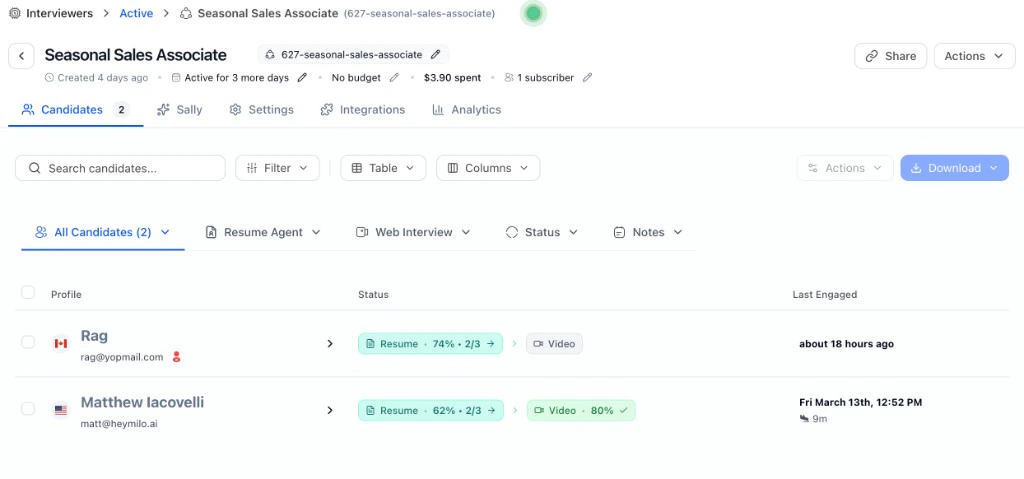
You’ll see the interviewer’s header: job title and ID (e.g.627-seasonal-sales-associate), status (Active), timeline (created, active for X more days), budget/spend, subscribers, and Share / Actions.
2. The candidate list
The list shows everyone in that interviewer’s pipeline:- Profile: Name, email, and (if shown) location/flag.
- Status: Per stage: e.g. Resume (score or progress like 74% • 2/3), Video (score like 80% or “Video” if completed), or pending.
- Last Engaged: When the candidate last interacted.
3. Actions (list or after selecting candidates)
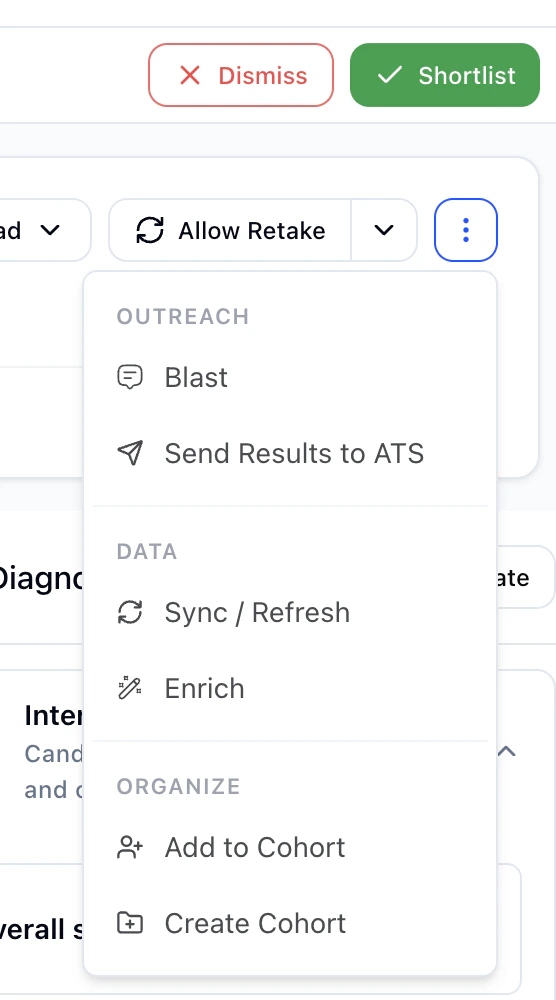
Click Actions to run bulk or single actions:| Action | Use |
|---|---|
| Shortlist | Move candidate(s) forward — they’re in. |
| Dismiss | Reject or remove from consideration. |
| Nudge | Send a reminder (e.g. to complete a step). |
| Blast | Send a bulk message to selected candidates. |
| Sync/Refresh | Refresh this candidate’s profile so the latest data, statuses, and evaluations are reflected. |
| Send Results to ATS | Push scores and notes to your ATS. See Integrations (ATS sync & writeback). |
| Enrich | Add or refresh data on the candidate profile. |
| Create Cohort / Add to Cohort | Group candidates for a role or talent pool. |
4. Download options
HeyMilo uses two different Download menus: on the Candidates list and on a single candidate profile.All candidates (list)
On Candidates, click Download: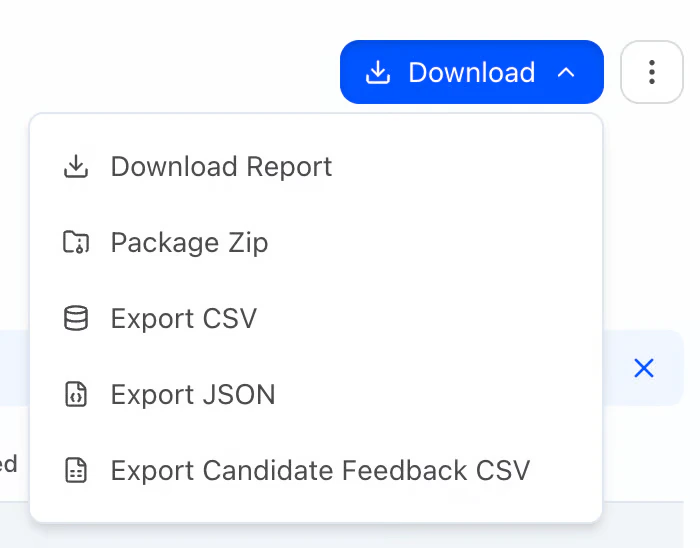
- Download Report: General report.
- Package Zip: Opens Download Candidate Files Zip. Choose what to include (e.g. Include PDF Report, resume, video, audio). For the PDF: set Report style (Modern for multilingual, Classic for English only) and Language, and toggles such as chips, highlights, lowlights, transcript when shown. The zip is emailed to you.
- Export CSV: Candidates and scores (spreadsheet).
- Export JSON: For integrations or tools.
- Export Candidate Feedback CSV: Feedback / evaluation export.
One candidate (profile)
Open a candidate, then click Download: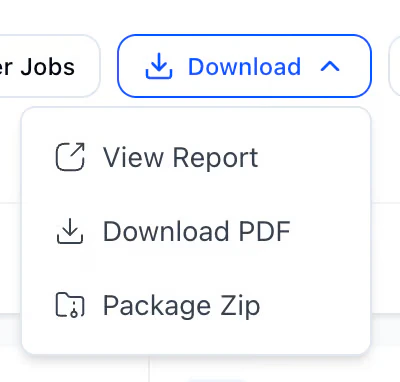
- View Report: Opens the report in the browser (preview).
- Download PDF: Saves a PDF of the report. Set Report version and Language as needed; adjust chips, highlights, lowlights, and transcript. Transcript stays in the original interview language (not translated).
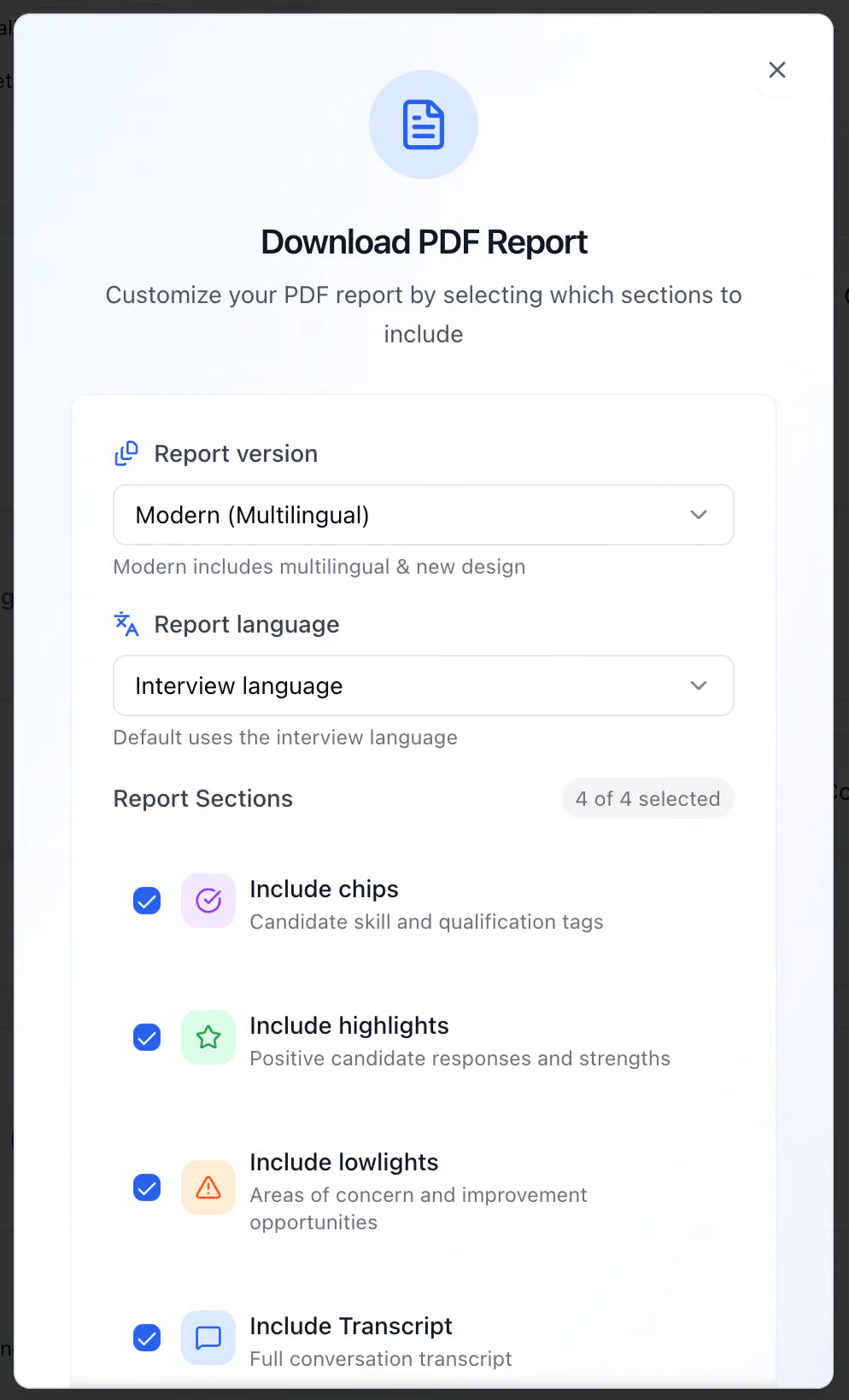
- Package Zip: Same Download Candidate Files Zip flow: optional PDF (same options as Download PDF), plus resume, video, audio; emailed ZIP.
5. Click into a candidate
Click a row to open that candidate’s full review.

Classic vs Modular
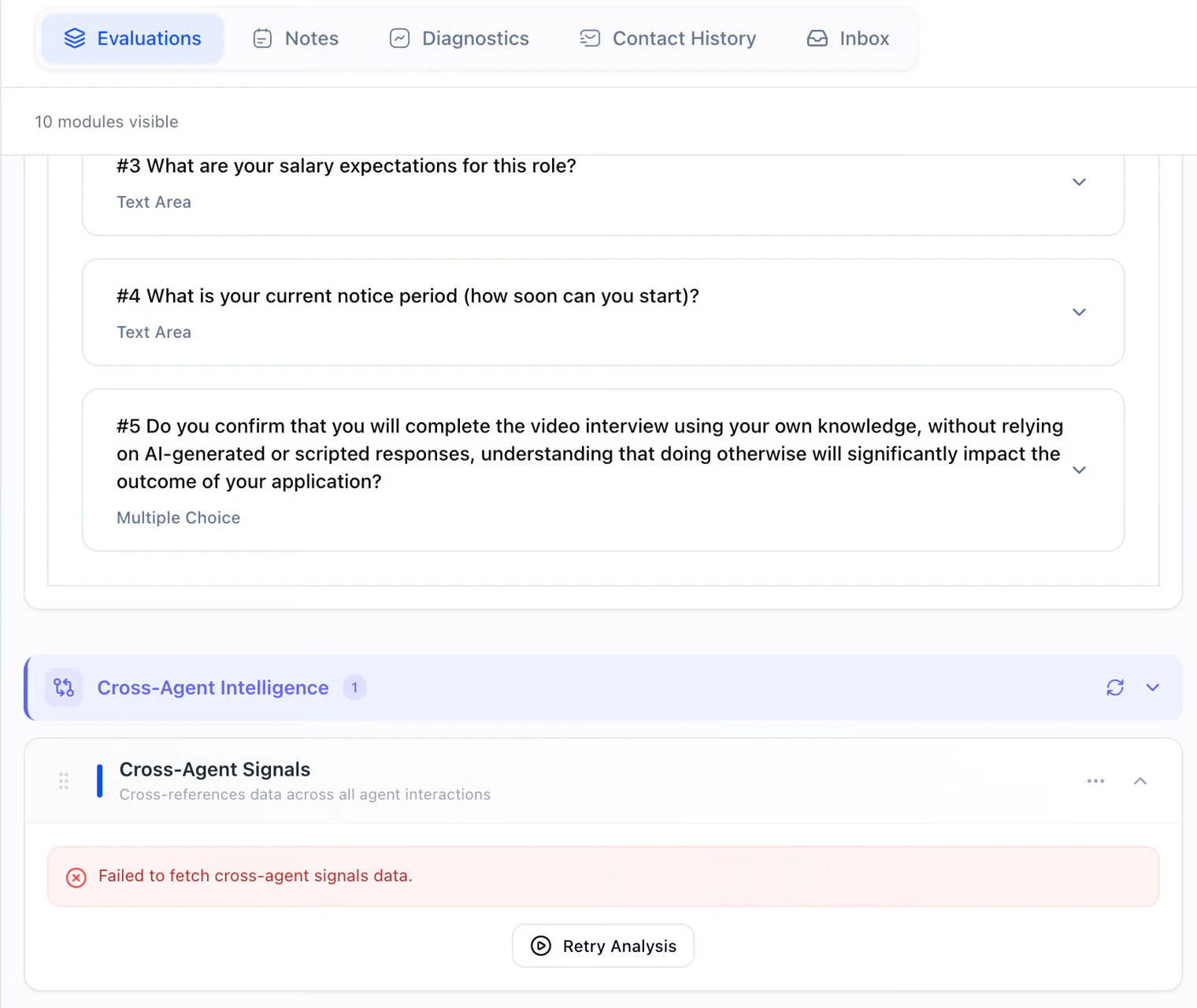
HeyMilo has two candidate review layouts: Classic and Modular. Use Modular on the candidate toolbar to switch. What only changes in Modular- Evaluations tab: Structured modules (e.g. salary, notice period, integrity confirmations).
- When the story doesn’t match: Sometimes a résumé says one thing and the voice or video interview says another. Cross-Agent Intelligence (Evaluations tab) is HeyMilo’s way of flagging those gaps so you’re not the one playing detective across tabs. It’s there for trust and accuracy: dates, titles, skills, or claims that don’t line up between what they submitted and what they said live.
- If the panel is empty or errors out, use Retry Analysis (and Refresh or collapse if that’s what you see). Nothing here auto-rejects anyone. It’s a heads-up for your team before you shortlist, pass, or follow up.
- Find Other Jobs: HeyMilo runs an agent process to match this person to other open roles. Use this action in the same row as Share, Download, and Allow Retake.
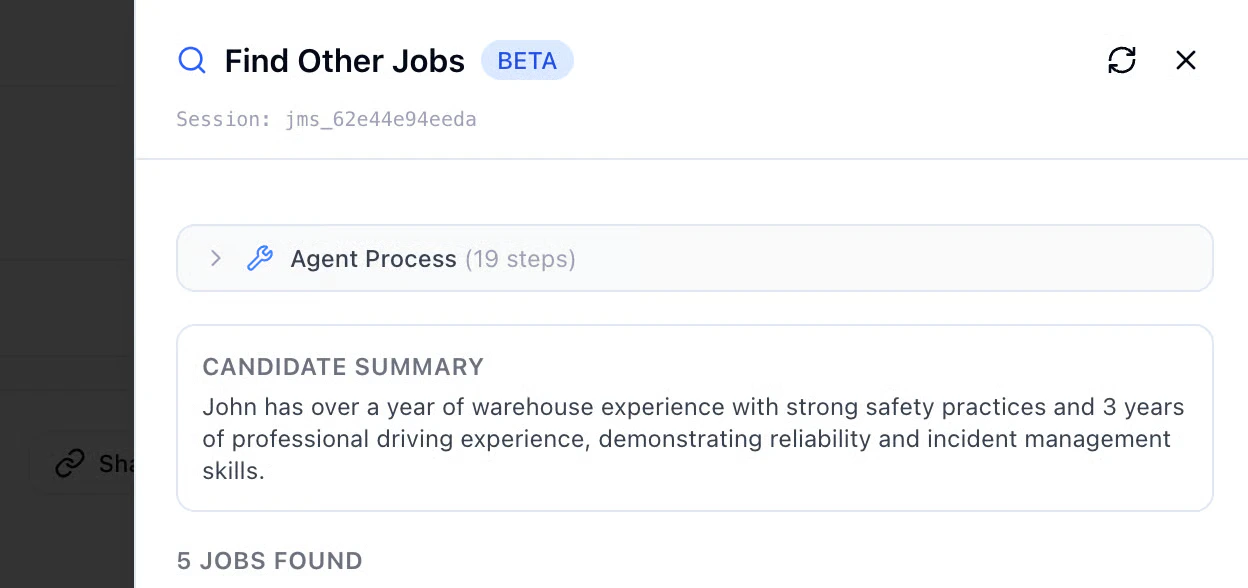
Note: Needs a working ATS connection and relevant jobs/postings for meaningful matches.
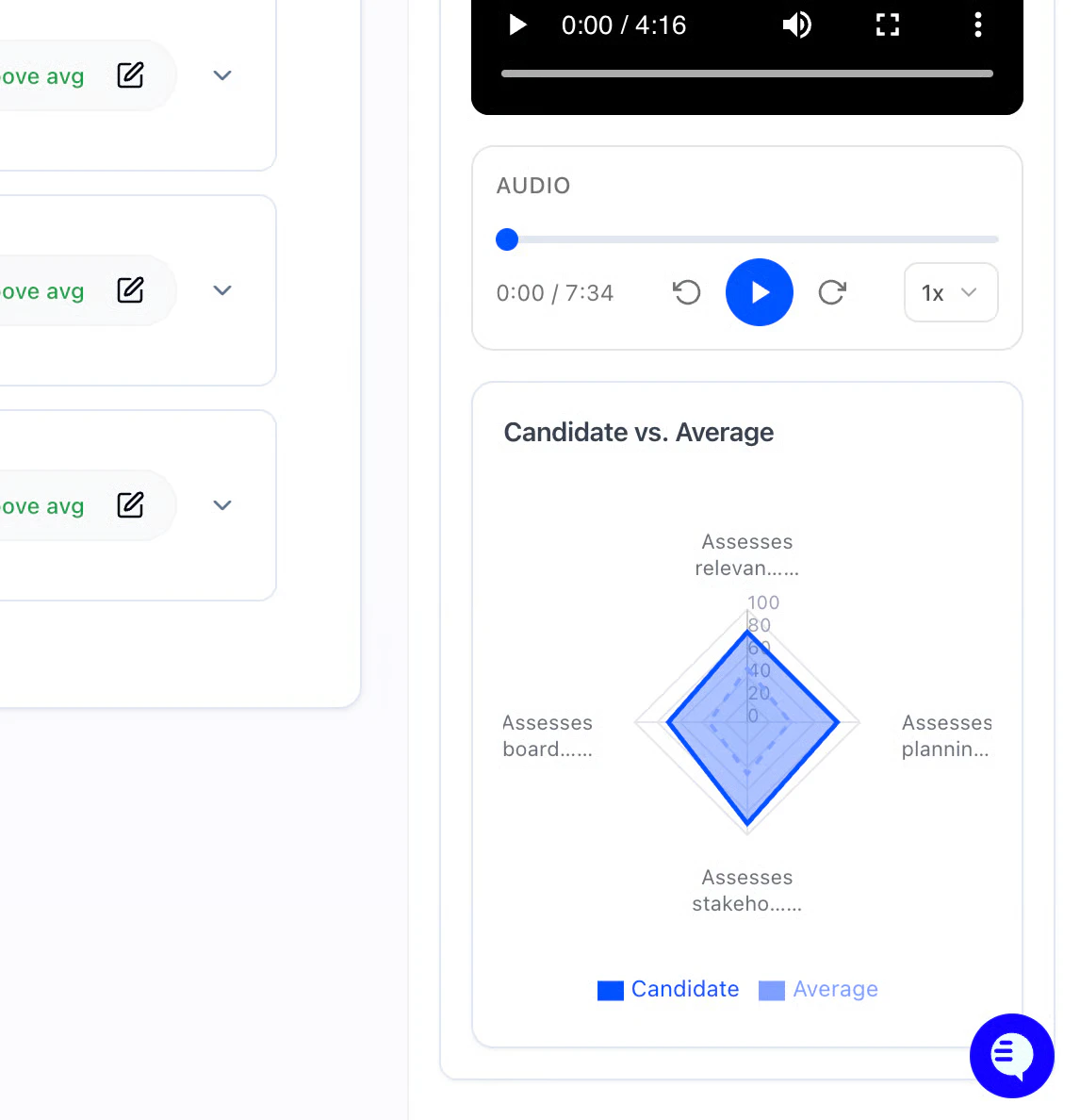
Candidate vs. Average
On the Scorecard, HeyMilo compares this candidate to other people who completed the same interviewer.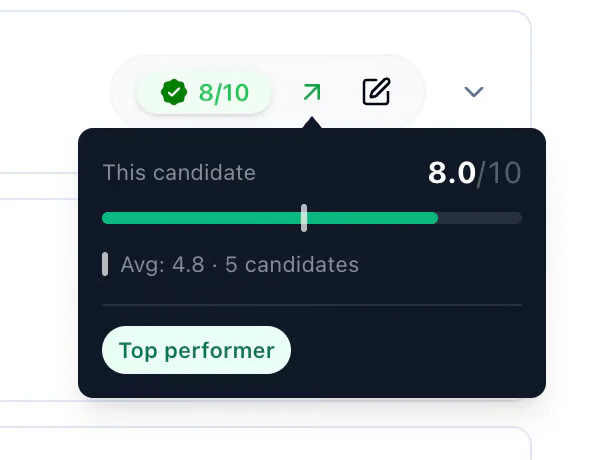
Résumé-based questions on the call
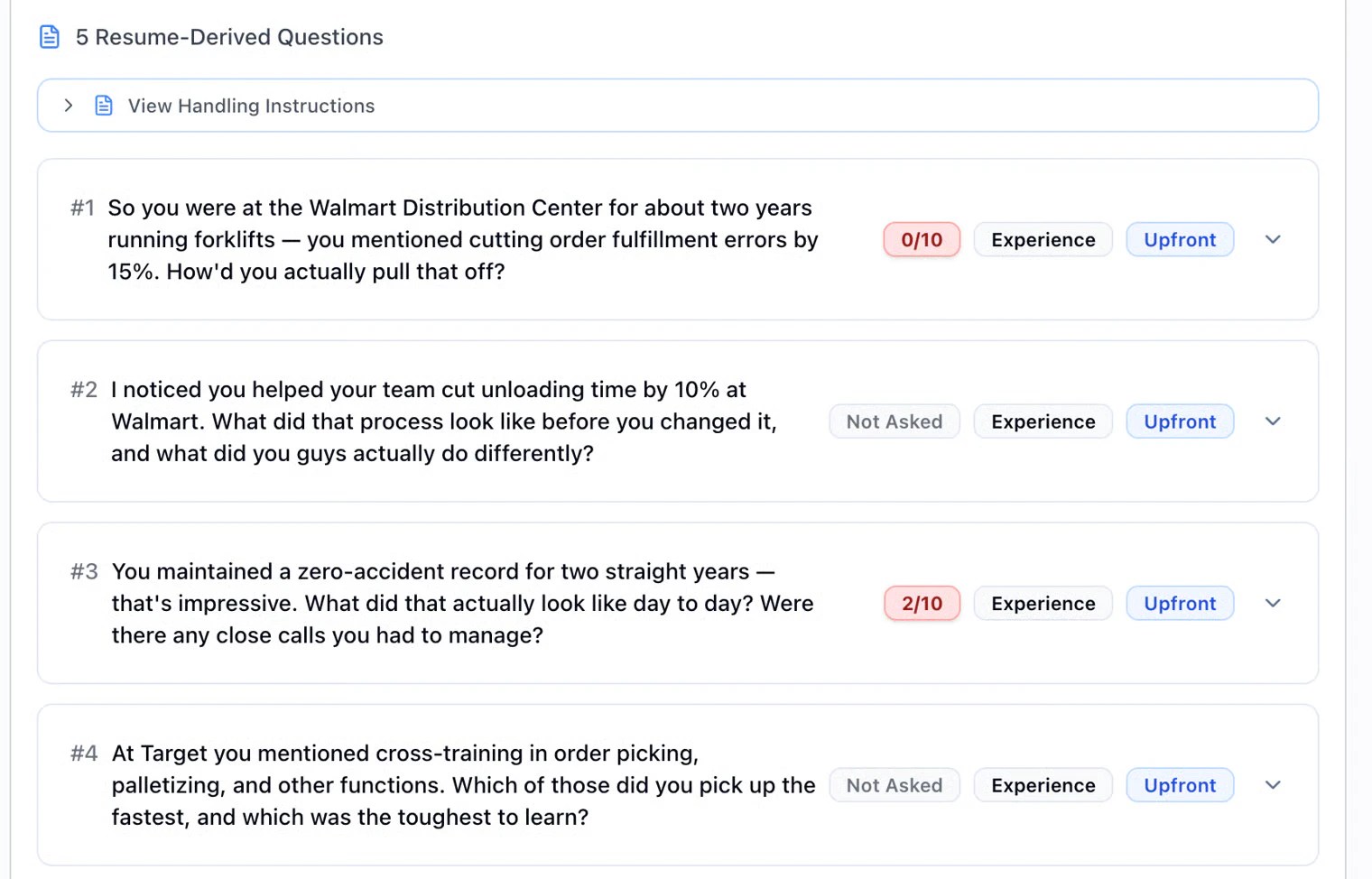
Want the AI to dig into their résumé during a voice or video interview? When you build the interviewer, open the Voice Interview step and use Tools. Turn on the toggle Resume Questions. Keep a résumé step before voice in the workflow so there’s something to pull from. So, when you review someone: Voice Interview → Resume-Derived Questions.- Upfront = meant early,
- Deferred = meant later.
- Not Asked means the AI didn’t get to that prompt
6. Diagnostics
The Diagnostics tab shows how a candidate completed the interview — use it when a score surprises you, someone didn’t finish, or you want more context before shortlisting. Where: Open a candidate → Diagnostics.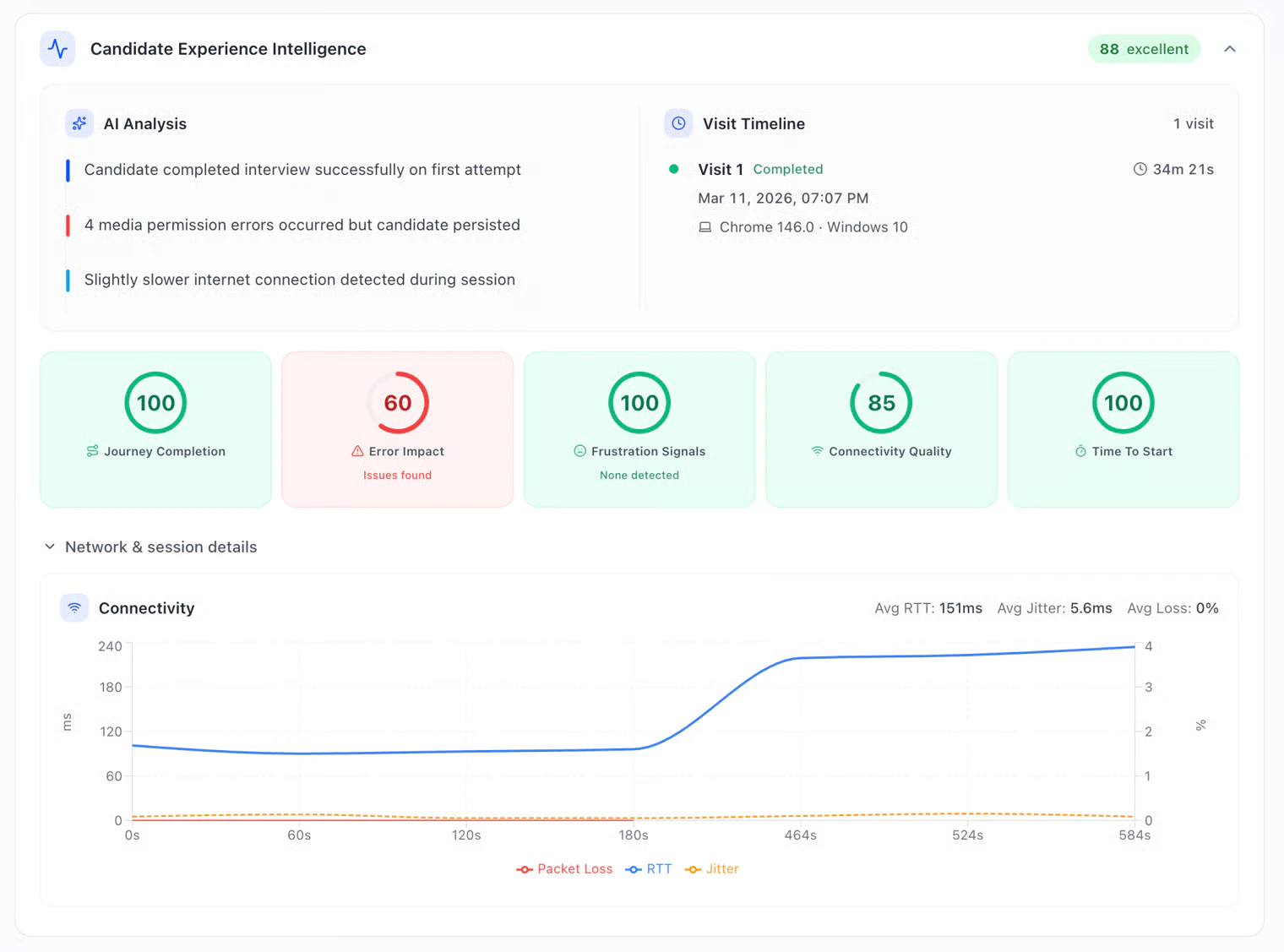
- Candidate Experience Intelligence: Overall experience score (e.g. 88 · excellent) plus AI Analysis bullets summarizing the session (e.g. “completed on first attempt,” “media permission errors but candidate persisted,” “slower internet detected”).
- Visit Timeline: Each visit with status (Completed / in progress), duration, timestamp, and browser / OS (e.g. Chrome 146 · Windows 10).
- Experience metrics: Scores for Journey Completion, Error Impact, Frustration Signals, Connectivity Quality, and Time to Start. Helps separate fit issues from experience issues.
- Network & session details: Connectivity chart with Avg RTT, Jitter, and Packet Loss, plus location / timezone (candidate’s vs yours) and a VPN status line.
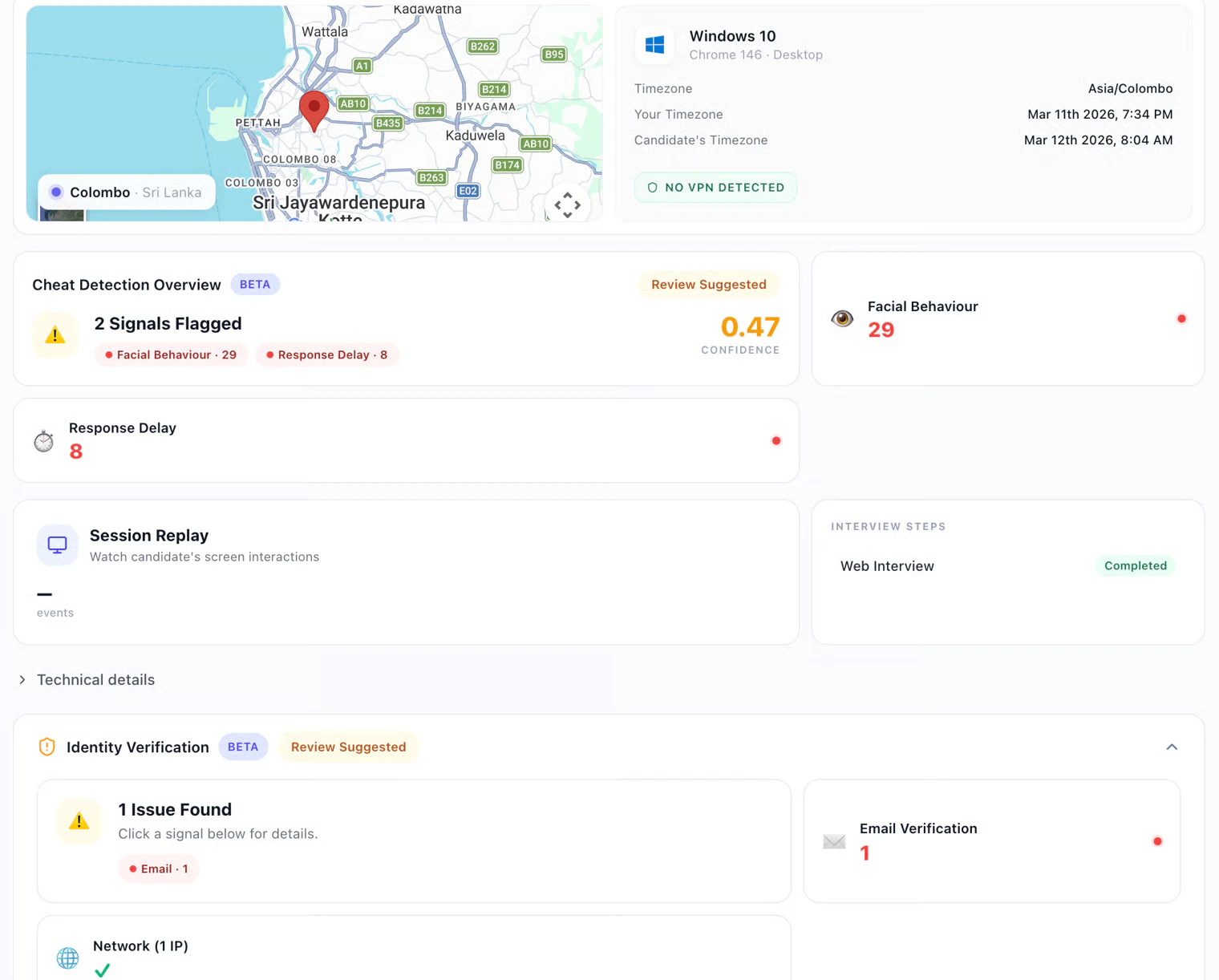
- Cheat Detection Overview: Flagged signals (e.g. Facial Behaviour, Response Delay) with a Confidence value and Review Suggested flag when applicable. Review flags, not auto-rejects. See Cheat Detection.
- Session Replay: Play back the candidate’s screen interactions. Can take a moment to load, sensitive info is filtered, intended for internal review.
- Interview Steps: Completion status for each stage in the workflow (e.g. Web Interview · Completed).
- Identity Verification: Checks such as Email Verification and Network (IP), with issues surfaced when found.
- Technical details: IP Address and Evaluator Processing Times (e.g. Scorecard, English Proficiency, Cheat Detection, Highlights, Tags Extraction) for troubleshooting.
Notifications
Configure alerts for completions, high scores, or expirations in Settings & Admin. For the in-app bell (push, sound, click-through to candidates), see Your Dashboard.Next steps
- How Scoring Works — How scores are built and how to read the report
- Integrations — ATS sync and sending results to your ATS