

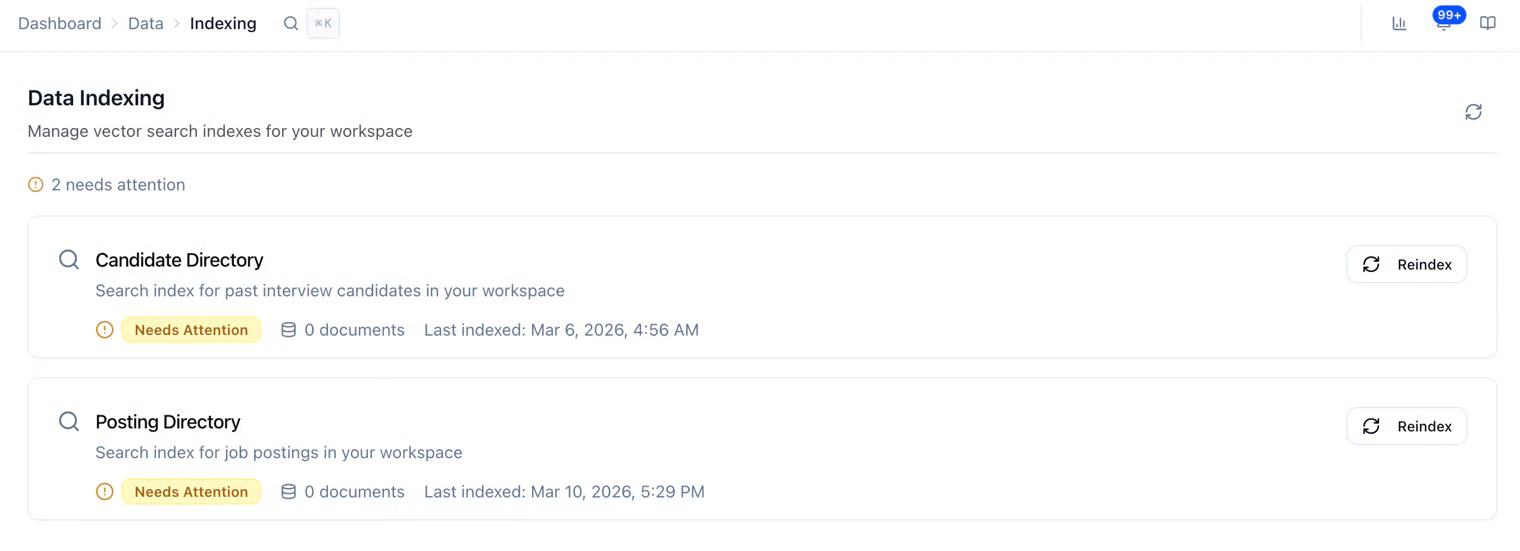
- Candidate Directory: search over candidates you’ve already interviewed in this workspace.
- Posting Directory: search over job postings in this workspace.
- Status: e.g. healthy or needs attention
- How many items are in the index
- Last indexed: when it was last updated
- Reindex: run this if the page warns you, counts look wrong, or search feels off after a big import or change
- The page says needs attention, or counts stay at 0 when you already have candidates/postings.
- You imported a lot of candidates or changed postings and search still looks stale.
Related
- Resource Labels — labels on postings, interviews, and candidates
- Your Dashboard — day-to-day work in the product